Online big-box stores:


Examples: Staples.ca Futureshop.ca bestbuy.ca wal-mart.ca etc.
Online stores that are an addon to an already existing big-block store. Carries the same products, with many additions to what can be found physically in store.
Benifits of using these:- Very secure, the websites themselves use their own encryption to protect your information.
- Many purchases are next day delivery
- Most often, shipping is free.
- You get exactly what you want, as it is described.
- If an item you purchase turns out to be out of stock, it can take weeks or months before it is delivered.
- The price is generally higher, retail mark-ups are applied.


Retailers that do not have physical store, and are generally home to higher-end merchandise
Examples: newegg.com, ncix.comBenifits of using these:
- Can find many products in-stock, that would otherwise be special order at retail stores.
- Prices are generally lower than what would be found at a big-box retailer.
- Shipping costs can be high.
- Can take several days to weeks for order to arrive.

An online auction website where millions of different items are sold. Uses paypal as a 3rd party money exchanger.
Benifits:- Items are much cheaper than they would be in a retail store.
- A huge variety of items for sale.
- With the online auction feature, there is no absolute guarantee you will get the item you want for the price you originally wanted it for.
- If purchasing an item located in another country, shipping costs are very high.
- No guarantee that the item you are buying, is what you will be getting (ebay fraud)
- Shipping can take a long time.
Examples: kajiji.com, craigslist.com, usedregina.ca
Websites where people can post “for sale adds” or “would like to buy” adds, even has listings for housing rentals, and other miscalanious items.
Potential benifits:- Many items have a very low cost, or are free.
- Usually things are not shipped, a meeting between the buyer and seller is arranged. Saves on shipping costs.
- Huge variety of items listed, from computers to housing.
- If purchasing an item, meeting Seller, gives an opportunity to review the item being purchased.
- Because of the requirement of the buyer and seller meeting face to face, personal safety risks are a factor (i.e. The Craigslist Killer)
Autotrader.com

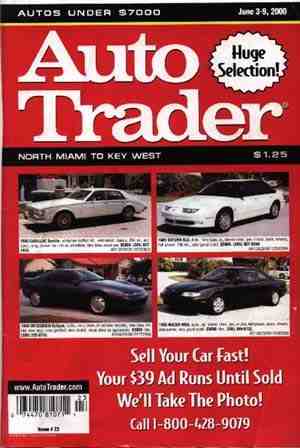
It is the one of Canada's largest new and used car classified site offering new & used cars, boats, RVs, construction vehicles, motorcycles and etc. It provides vehicles for sale in Canada for each province and users can pick the location. Unlike eBay or used regina, Autotrader requires a payment before we can put the sale item from a week / 2 weeks / a month. Payment varies depending on the duration.
Potential Benefits:
- We can search cars in other provinces and look for the same cars and compare prices and find a cheaper price at home.
- Have more choices than going to a certain car dealership to get a car. We can communicate with a bigger group of people in Canada than just selling a car within a city.
- We see the car through pictures online, we would not know if there is a damage on the body.
- If the car is too far away from where we live, we can't really go there and test drive it.
- Some cars that are already sold are still on the website. Waste of time if we call them.
- Not all people on the Aututrader are professional sellers.
Potential Risks and Disadvantages:
Better and Safer Way's to Shop Online
One safe way to online shop is not using online bidding sites but more so an online listing site. For example usedregina.com or kijiji.com websites like these are more on a personal level, they don’t enable you to not leave your house because usually you have to pick up the paid for item but it does give one the opportunity too browse online in the comfort of their home.
Tips:
- Make sure you are on a "secure" site before you give your name, address or credit card details. Look for a padlock or a key symbol, which are usually in the bottom corner of your screen. On a secure site, your information is scrambled into code, (encrypted) before being sent over the Internet, and stored on a secure database. If the company want to pass on your details to other companies, it should give you the right to say no. Look for a tick box on the site, and make a choice about disclosing your details.
- Do not send your credit card details in an email, this is not a secure means of transmitting information and can be copied easily to others.
- Check your credit card statements for suspicious entries. If you spot anything shady, query the transaction and consider cancelling that card.
- Keep records of all your transactions. Print details from the webpage you used, write down records of order numbers and billing address. Keep copies of any emails you exchange with the supplier.
- Think before you buy. If the online advertisement or junk email offer sounds too good to be true, it probably is!
- Remember the hidden extras, which can push up the price of your online purchase. Postage and packing costs, VAT and Customs charges for goods from overseas can add greatly to the final cost.
- If you do have problems with an online purchase, contact your local council's Trading Standards office for their specific advice. You can involve the police too if a fraud has taken place.
The tips above, can be summed up into these 5 general 'rules' of online shopping
1. Know your Merchant:
It's a good practice to be familiar with the name or reputation of any company you're dealing with. You can often find helpful information about online companies from Internet news sources, directories, and rating services. The Federal Trade Commission maintains a web site (http://www.consumer.gov) that provides many buyer's guides, lists of tips, and links to helpful resources. (Famous online shopping websites post relevant information about themselves and their business on an "Information" page. they also provides a rating system, whereby customers are able to evaluate merchants. If you see this symbol next to a listing, it means that the merchant has provided "top rated" service to customers.)
2. Protect your privacy:
Know what information the merchant is collecting about you, how it will be used, and if they share it with or sell it to others. You can do this by checking the web site to make sure there is a privacy policy posted, and that you're comfortable with the way your personal information is treated under that policy. Look for seals from privacy enforcement organizations like TRUSTe or BBBOnline. Be cautious if you're asked to supply personal information not needed to make a purchase, such as your Social Security number or personal bank account information. (We post a link to our Yahoo! Privacy Policy at the bottom of most Yahoo! pages. In our policy, written in collaboration with the TRUSTe organization, we explain when and where we collect personal information, and how we use it. )
3. Get the Details:
Check for expected delivery dates, shipping and handling fees, warranties, return policies, and other important information. Look for an email address to write to (or a phone number to call) if you have a question, a problem, or if you need help.4. Use a Credit Card and Safeguard Your Password:
It's a good practice to pay with credit cards, because under federal law (and your credit card agreement) your liability for an unauthorized charge is limited to $50. When using a credit card online, look for an unbroken key or padlock (a graphical icon usually located in the bottom corner of the web page), or for a policy that indicates use of strong security technology such as SSL. This indicates that your credit card data is transmitted securely. Keep your passwords safe, and don't share them with other people.5. Keep Good Records:
Make sure to print or save electronically any records related to your online transactions. This will help you keep track of shipping dates, shipping and handling fees, and other details of your transactions.Useful Website:
Be safe online
Safer Online Shopping
Statistics
More Canadians are shopping on-line: Statistics Canada
- Canadians spent $12.8 billion on Internet purchases in 2007--a 61 percent increase compared with 2005.
- The actual number of on-line orders jumped by 20 million during the two-year period, from 49.4 million orders in 2005 to 69.9 million in 2007.
- The most popular items purchased on the Net were travel services and entertainment products, such as books, concert tickets, and clothing.
- In terms of age, the demographic that placed the most on-line orders included those between 25 and 34.


No comments:
Post a Comment